Recently i had to write some test programs for my nrf52840 board and as personal preference i began development in Rust, i’m writing this blog post as a reference for anyone else who might be doing the same.
Debugging and programming
The first thing you might want to do is choose a programmer, in my case i used the nrf9161-dk at first and later a pi pico flashed with debugprobe firmware1, but anything that supports Single-wire IO will work.
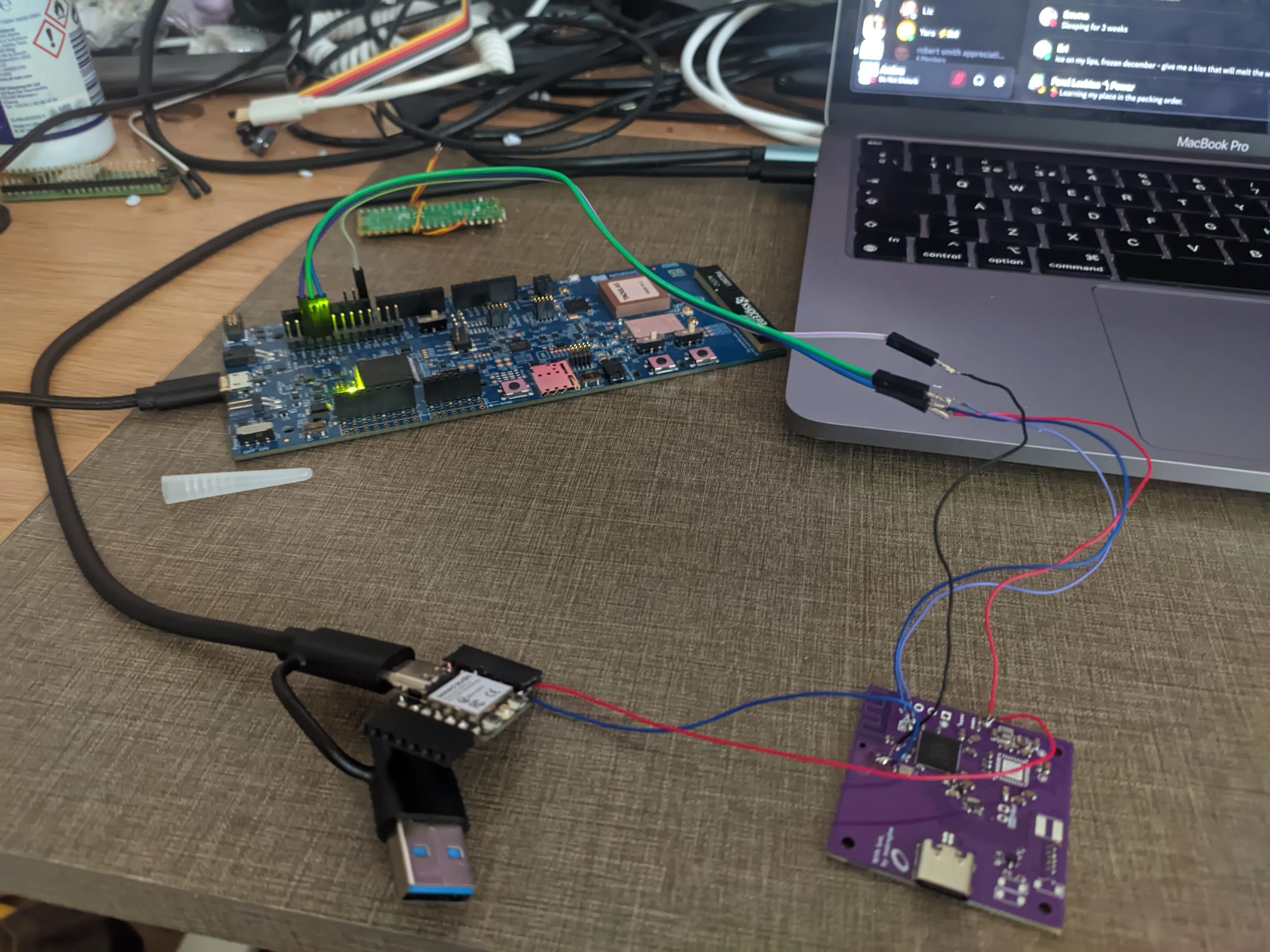
using a nrf9161-dk for debugging the nrf52840 devboard (bottom right)
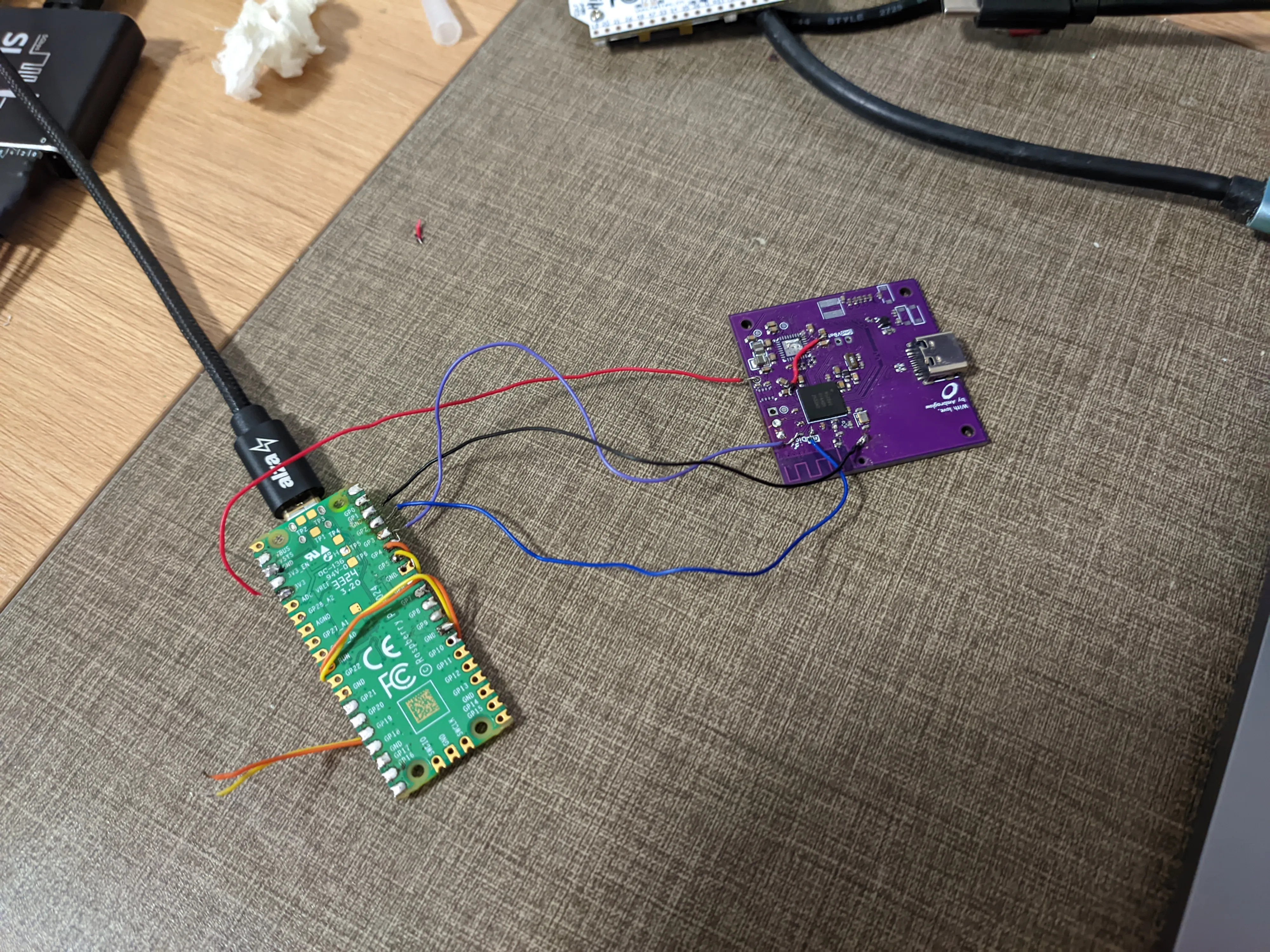
setup using a pi-pico for debugging and power
Development environment setup
Setting up a project quite straightforward, you might want to make sure your development environment is ready for cross-compilation, for this i crafted a shell using nix flakes:
{  description = "Rust flake with nightly";
  inputs = {    flake-utils.url = "github:numtide/flake-utils";    rust-overlay.url = "github:oxalica/rust-overlay";    nixpkgs.url = "github:NixOS/nixpkgs/nixpkgs-unstable";    crane.url = "github:ipetkov/crane";  };
  outputs = { self, flake-utils, rust-overlay, nixpkgs, crane }:    flake-utils.lib.eachDefaultSystem (system:      let        overlays = [ (import rust-overlay) ];        pkgs = (import nixpkgs) {          inherit system overlays;        };
        rustToolchain = pkgs.rust-bin.nightly."2025-06-30".default.override {          extensions = [ "rust-analyzer" "clippy" "rust-src" "llvm-tools"];          targets = [ "thumbv7em-none-eabihf" ];        };        craneLib = (crane.mkLib pkgs).overrideToolchain rustToolchain;        src = craneLib.cleanCargoSource ./.;        nativeBuildInputs = with pkgs; [ rustToolchain probe-rs-tools ];        buildInputs = with pkgs; [ ];        commonArgs = {          inherit src buildInputs nativeBuildInputs;        };        cargoArtifacts = craneLib.buildDepsOnly commonArgs;        bin = craneLib.buildPackage (commonArgs // {          inherit cargoArtifacts;        });      in      with pkgs;      {        packages =          {            inherit bin;            default = bin;          };        devShells.default = mkShell {          inputsFrom = [ bin ];          # buildInputs = [ flip-link ];        };      }    );}
This way we’ve setup a shell that can be called anytime we want to build the project which we can enter by running nix develop, inside the root directory of your project you’ll want to run cargo init ..
The next steps are easy, we just need to grab a few files from the embassy repository in the nrf52 examples folder, specifically we want memory.x which is our linker script, build.rs and
we’ll also want to create a .cargo folder and place config.toml in it.
Next we will want to add these lines at the top of our main file:
#![no_std]#![no_main]and now we can move on to importing whatever dependencies our project needs.
The linker script
If you’re going to be using any of the radio features (like Bluetooth or zigbee) you want to make sure to change memory.x accordingly:
{ /* These values correspond to the NRF52840 with Softdevices S140 7.3.0 */ FLASH : ORIGIN = 0x00027000, LENGTH = 868K RAM : ORIGIN = 0x20020000, LENGTH = 128K}and to make sure you’ve flashed the SoftDevice before running your project.
Also here’s a small series of libraries available in rust for BLE and matter:
Adafruit nrf52 bootloader
If you’re using the Adafruit nrf52 bootloader, like in my case, you’ll want to make sure your linker script looks something like this:
{ /* These values correspond to the nRF52840 WITH Adafruit nRF52 bootloader */ FLASH : ORIGIN = 0x00026000, LENGTH = 868K RAM : ORIGIN = 0x20020000, LENGTH = 128K}You’ll also want to install cargo make and add a Makefile.toml file to your project:
[tasks.flip-link]install_crate = { crate_name = "flip-link", binary = "flip-link", test_arg = ["-h"] }
[tasks.objcopy]install_crate = { crate_name = "cargo-binutils", binary = "cargo", test_arg = [    "objcopy",    "--help",] }command = "cargo"args = ["objcopy", "--release", "--", "-O", "ihex", "<your-project-name>.hex"]dependencies = [ "flip-link"]
[tasks.uf2]install_crate = { crate_name = "cargo-hex-to-uf2", binary = "cargo", test_arg = [    "hex-to-uf2",    "--help",] }command = "cargo"args = [    "hex-to-uf2",    "--input-path",    "<your-project-name>.hex",    "--output-path",    "<your-project-name>.uf2",    "--family",    "nrf52840",]dependencies = ["objcopy"]
Footnotes
-
make sure to choose the “on_pico” version if you’re not using a debugprobe board. ↩